
I have been busy trying out some new to me ways of working and finding ways to document my code and repositories. So here is the first try-out of the LocalStack tutorial, creating an s3 static website, with the infrastructure defined in terraform.
The aim is to try out local stack, sort out a structure for projects going forward and some documentation ideas.
LocalStack (https://www.localstack.cloud/)
Allows us to run and test Amazon Web Service (AWS) applications locally, in this case we can use it to create the infrastructure using Terraform for our website, we can then run the same terraform scripts against our live AWS account to create the website in production.
Terraform (https://www.terraform.io/)
Infrastructure as code, this is one of the many solutions to creating infrastructure in the cloud, writing a script that the terraform application runs against the AWS cloud APIs to create the infrastructure required, rather than logging into AWS and creating the infrastructure manually, this allows us to version our infrastructure and have code that will always create the infrastructure in the way we want. Terraform is a cross platform application so using different providers it can create infrastructure in any supported cloud provider, although the scripts we write are provider specific.
Structurizr (https://structurizr.com/)
Last up in this tooling chain, is the documentation, using the C4 model and providing diagrams as code, along with structured and linked documentation, including Architecture Decision Records (ADR) Structurizr provides a website that runs in a local docker container.
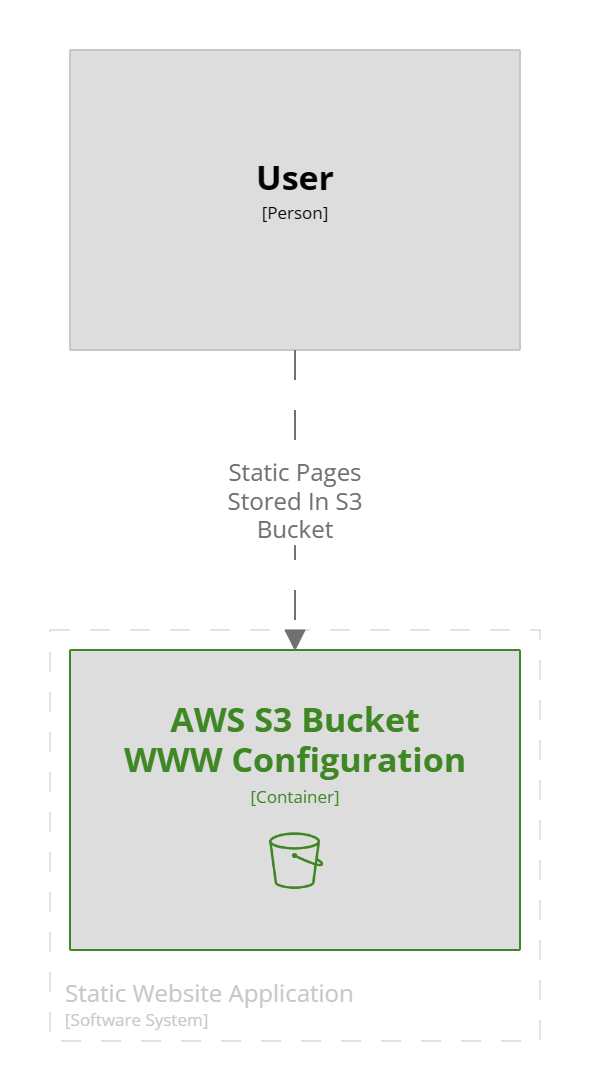
This is a small project so the diagram is simple, the documentation however shows how to run the example.
A Structurizr code file uses a simple JSON format that allows the objects in the diagram to be nested each level moving down thought the levels of a C4 diagram automatically generating the diagrams as required, although the developer gets a lot of control of the layout within the views section. This product deserves a lot deeper review than I am giving it here, but it will hopefully be appearing in my repos from now on.
workspace {


    !docs "docs"


    model {

        user = person "User"

        website = softwareSystem "Static Website Application" {

            bucket = container "AWS S3 Bucket\nWWW Configuration" {

                tags = "Amazon Web Services - Simple Storage Service S3 Bucket"

            }

        }


        user -> Bucket "Static Pages Stored In S3 Bucket"

    }


    views {

        container website {

            include *

            autoLayout

        }


        theme https://static.structurizr.com/themes/amazon-web-services-2020.04.30/theme.json

    }

}
Example Structurizr code for the above diagram.
Its the ability to have a whole website full of documentation with the repository that’s runnable from the local machine available while you code is the secret source.
To run the examples above clone the repository from
https://github.com/DuncanButler/LocalStack_Static_Website_Tutorial
ensure you have docker running on the local machine, navigate to the architecture folder and run the PowerShell script this will download the Structurizer container and run the documentation website available on the local machine at http://localhost:8080/
In order to run the website you will need to setup local stack using the instructions at https://docs.localstack.cloud/getting-started/,
Install terraform https://developer.hashicorp.com/terraform/install
Finally you will need the AWS-CLI installed, the instructions are here https://docs.aws.amazon.com/cli/latest/userguide/getting-started-install.html, although you do not need to setup an account if you are intending to only use local stack, and there is a nice wrapper project around AWS-CLI that is used in the readme, you can install this from https://github.com/localstack/awscli-local
The local stack tutorial I followed to produce this is here
https://docs.localstack.cloud/tutorials/s3-static-website-terraform/
It sounds a lot to install, but the net result is we have a way of building cloud infrastructure locally and a complete documentation website that sits with the project. Most of it is docker containers so there is not actually much more than the command line tools stored on the local machine.
So I now have a project structure, documentation tooling and a way of creating infrastructure for my job board project.

 The Butler Did It