
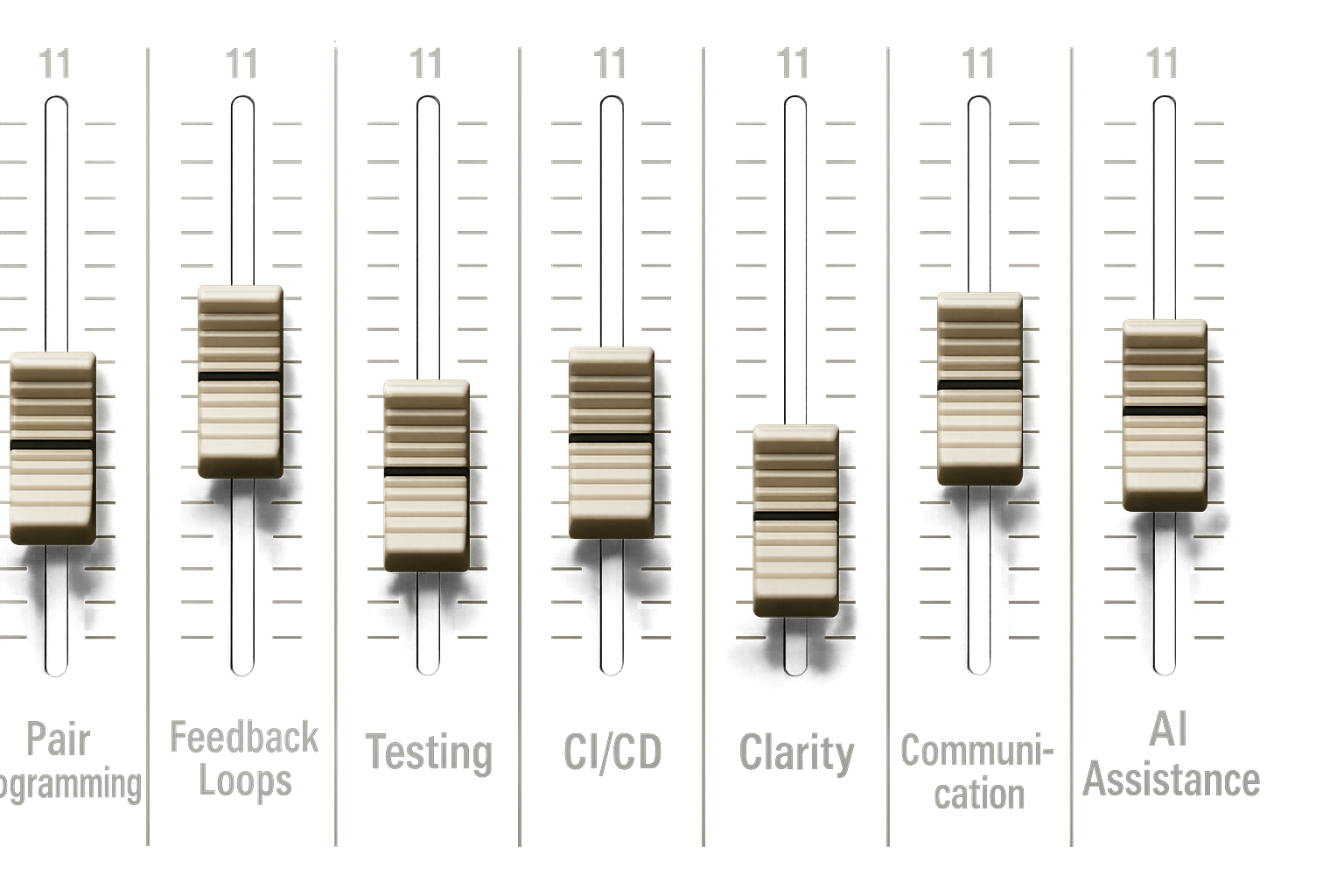
Think of it as Extreme Programming with AI—but with every dial cranked to 11.
Back in the mists of software time—somewhere between waterfall and the rise of agile—we discovered something important. Discipline wasn’t a buzzword. It was survival. Test-driven development, code katas, pair programming: these weren’t just practices. They were the scaffolding. This scaffolding kept our code from collapsing under its own cleverness.
Now, AI agents are here. They write code, refactor classes, generate tests, and even draft product requirements. We want to keep the gains. To avoid the mess, we need to bring our old disciplines with us.
A Brief History of XP
Extreme Programming emerged in the mid-90s, when Kent Beck was leading the Chrysler C3 payroll project. Faced with shifting requirements and mounting complexity, Beck doubled down on practices like testing, simplicity, and communication. XP became one of the earliest agile methodologies. It is built around frequent releases, pair programming, and test-first development. It also emphasizes close collaboration with customers. It was agile before agile had a manifesto. XP asked: what if we turned all the good practices up to 10? Now, with AI, we’re turning them up to 11.
From Vague Thought to Structured Execution
One of the most game-changing aspects of working with AI isn’t just the code generation—it’s the ability to scaffold entire workflows from a few offhand ideas. A vague prompt like “build a coffee tracking feature with accurate caffeine calculations” doesn’t just produce a few lines of code. It produces a fully fleshed-out product requirements document, complete with domain models, goals, constraints, and technical requirements. From there, epics emerge naturally, and those epics break down into tightly scoped tasks.
Each task can be turned into a detailed ticket, complete with acceptance criteria, file paths, and even the exact prompt needed to guide the AI. The result is a development pipeline that feels less like delegation and more like orchestration.
Here’s an example from a recent project:
# Issue #002: Create Coffee Type and Size Enumerations

**Labels:** `epic-1`, `enumeration`, `high-priority`, `foundation`
**Milestone:** Phase 1 - Anonymous User MVP
**Epic:** Epic 1 - Core Domain Models & Database Setup
**Estimated Time:** 1-2 hours

## 📋 Description

Create enumerations for coffee types and sizes with associated caffeine content calculations. This provides standardized coffee types and enables accurate caffeine tracking across the application.

## 🎯 Acceptance Criteria

- [ ] CoffeeType enum includes common coffee types with base caffeine values
- [ ] CoffeeSize enum includes size variations with multipliers
- [ ] Extension methods provide caffeine content calculations
- [ ] Display names configured for user-friendly presentation
- [ ] Unit tests verify all calculations are accurate

## 🔧 Technical Requirements

- Create separate enum files for organization
- Use System.ComponentModel.DataAnnotations.Display for display names
- Add extension methods for calculations
- Include XML documentation
- Follow C# naming conventions

## 📝 Implementation Details

### File Locations
- **Coffee Types**: `src/CoffeeTracker.Api/Models/CoffeeType.cs`
- **Coffee Sizes**: `src/CoffeeTracker.Api/Models/CoffeeSize.cs`
- **Tests**: `test/CoffeeTracker.Api.Tests/Models/CoffeeTypeTests.cs`

### Coffee Types Required
```csharp
- Espresso (90mg caffeine base)
- Americano (120mg caffeine base)
- Latte (80mg caffeine base)
- Cappuccino (80mg caffeine base)
- Mocha (90mg caffeine base)
- Macchiato (120mg caffeine base)
- FlatWhite (130mg caffeine base)
- BlackCoffee (95mg caffeine base)
```

### Coffee Sizes Required
```csharp
- Small (0.8x multiplier)
- Medium (1.0x multiplier)
- Large (1.3x multiplier)
- ExtraLarge (1.6x multiplier)
```

## 🤖 Copilot Prompt

```
Create C# enumerations for coffee types and sizes in a .NET 8 Web API project with these specifications:

Create a `CoffeeType` enum with these coffee types:
- Espresso (90mg caffeine base)
- Americano (120mg caffeine base)
- Latte (80mg caffeine base)
- Cappuccino (80mg caffeine base)
- Mocha (90mg caffeine base)
- Macchiato (120mg caffeine base)
- FlatWhite (130mg caffeine base)
- BlackCoffee (95mg caffeine base)

Create a `CoffeeSize` enum:
- Small (0.8x multiplier)
- Medium (1.0x multiplier)
- Large (1.3x multiplier)
- ExtraLarge (1.6x multiplier)

Create extension methods:
- `GetBaseCaffeineContent(this CoffeeType type)` - returns base mg
- `GetCaffeineContent(this CoffeeType type, CoffeeSize size)` - returns calculated mg
- `GetDisplayName(this CoffeeType type)` - returns user-friendly name
- `GetDisplayName(this CoffeeSize size)` - returns user-friendly name

Requirements:
- Use System.ComponentModel.DataAnnotations.Display for display names
- Add XML documentation for all members
- Create comprehensive unit tests that verify all caffeine calculations
- Follow clean code principles
- Make calculations accurate and realistic

Place in `Models/CoffeeType.cs` and `Models/CoffeeSize.cs` with tests in the test project.
```

## ✅ Definition of Done

- [ ] CoffeeType enum created with all required coffee types
- [ ] CoffeeSize enum created with size multipliers
- [ ] Extension methods implemented for caffeine calculations
- [ ] Display attributes added for user-friendly names
- [ ] XML documentation added to all public members
- [ ] Unit tests written covering all calculations
- [ ] All caffeine calculations verified for accuracy
- [ ] Tests achieve >90% coverage
- [ ] All tests pass

## 🔗 Related Issues

- Depends on: None
- Related to: #001 (Coffee Entry Domain Model)
- Blocks: #003 (Update DbContext)
- Epic: #Epic-1 (Core Domain Models & Database Setup)

## 📌 Notes

- Caffeine values are based on industry standards and research
- Extension methods enable easy calculation throughout the app
- Enums provide type safety and consistency
- Display names support future internationalization
- Keep calculations realistic for health tracking

## 🧪 Test Scenarios

- Verify each coffee type returns correct base caffeine
- Test size multipliers calculate correctly
- Validate all combinations of type + size
- Ensure display names are user-friendly
- Test edge cases and boundary conditions

---

**Assigned to:** Development Team
**Created:** July 10, 2025
**Last Updated:** July 10, 2025
The ticket includes a clear description, a checklist of acceptance criteria, technical requirements, file locations, and even a Copilot prompt that defines exactly how the code should be structured. It outlines extension methods, display names, XML documentation, and unit tests—all scoped to fit within a clean architecture pattern.
The prompt itself is rich with intent. It doesn’t just say “create enums.” It specifies caffeine values, size multipliers, naming conventions, and test coverage expectations. The AI responds with structured output that fits seamlessly into the project’s architecture.
The Design Compass: Copilot Instructions as Architectural Guide
To make this work consistently, I use a copilot-instructions.md file. This file acts as a design compass, guiding the AI toward clean, maintainable output. It defines folder structures, naming conventions, serialization rules, and testing strategies. It’s not fluff—it’s a contract between me and the AI.
When I prompt “create a new feature for coffee tracking,” I don’t get generic spaghetti. I get models in /Domain/Entities, interfaces in /Application/Contracts, handlers in /Application/Features/Coffee, and controller scaffolding that respects route conventions. The AI becomes an active participant in architecture, not just a glorified autocomplete
Microtask Workflow: Staying in the Code
Once the tasks are defined, the workflow becomes beautifully simple. I branch on the task, complete it with AI assist, refactor where needed, open a pull request, and merge. Then I move on to the next task.
Each task wraps in about an hour. That means pull requests are small, reviews are fast, and the developer stays engaged. The AI doesn’t drift off into hallucination territory because the context is tight and the scope is clear. I’m not just watching code appear—I’m shaping it, validating it, and staying in the code.
Triad Programming: You, Your Teammate, and Your AI
Pair programming becomes triad programming. I’m not just working with a human partner—I’m collaborating with an AI assistant that never sleeps, never complains, and occasionally hallucinates. The key is discipline. I validate AI suggestions like I would junior dev input. I keep the human eye on architecture and long-term maintainability. I guard my principles and don’t let velocity compromise values.
Why This Matters
AI can scaffold ideas instantly. But without structure, it can also generate spaghetti faster than you can untangle it. That’s why discipline isn’t optional—it’s the difference between collaboration and chaos.
Hallucinations happen when context is vague or sprawling. By keeping tasks small and tightly scoped, I limit ambiguity and give the AI clear boundaries. I stay “in the code,” reviewing each piece as it’s created, not after a 500-line dump. This clarity means fewer surprises, fewer rewrites, and far fewer “what on earth is this doing?” moments.
When AI generates large chunks of code, it’s easy to lose track of intent. But with microtasks, I know exactly what’s being written and why. I can refactor in real time, shaping the code to match my architecture. I maintain ownership of the design, even if the AI does the typing.
It’s not about outsourcing—it’s about augmenting my thinking while keeping my hands on the wheel.

 The Butler Did It